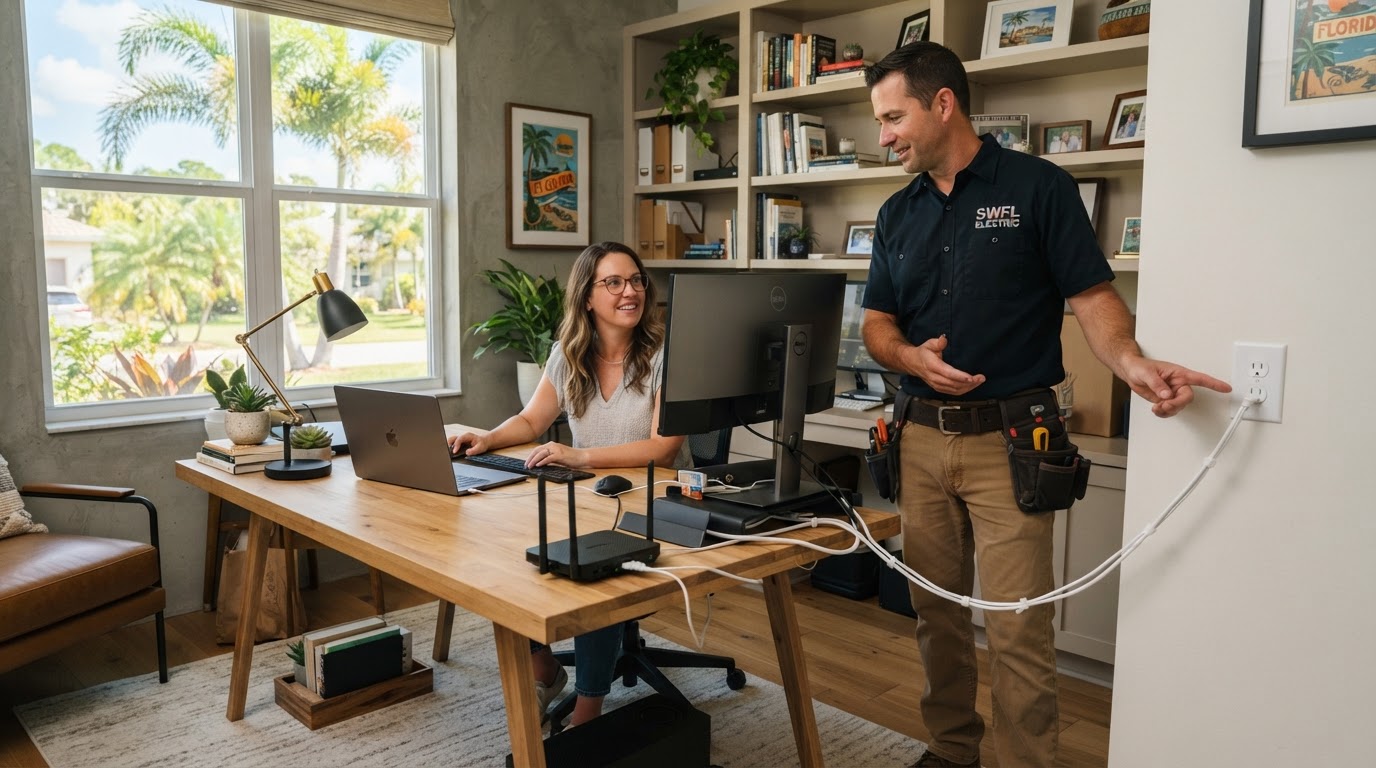
A spare bedroom can become a serious workplace surprisingly fast.
First comes the laptop.
Then a second monitor.
Then another monitor, printer, docking station, speakers, router, charging station, desk lamp, standing desk, backup drive and maybe a space heater for the two weeks Florida decides to be cold.
Before long, one wall outlet may be powering half the office.
That is when it is worth asking a better question:
Does the electrical setup actually match how this room is being used now?
A home office does not automatically need major electrical work.
But if your office has become a permanent workspace, a little planning can make it safer, cleaner and much easier to use.
In short: A spare bedroom designed around a lamp and alarm clock may now be supporting a full-time business workstation. Outlets, circuits, lighting and surge protection should be planned together before power strips and extension cords become your permanent office wiring.
1. Start With Everything You Actually Plug In
Before thinking about circuits or outlets, make a list.
Your home office may include:
- computer
- docking station
- one or more monitors
- printer
- scanner
- router
- modem
- speakers
- phone chargers
- tablet chargers
- external drives
- desk lamp
- standing desk
- television
- security equipment
- other specialty electronics
That list helps answer a simple question:
Has this room outgrown the way it was originally wired and furnished?
A bedroom designed around a lamp and alarm clock may now be supporting a full-time business workstation.
2. Look at How Many Outlets You Are Really Using
Take a look under your desk.
Are several devices plugged into one power strip?
Is a second power strip plugged into another outlet across the room?
Are extension cords permanently routed behind furniture?
Is the outlet you actually need always on the wrong wall?
Those are signs that the room's outlet layout may not match its current use.
The Electrical Safety Foundation International (ESFI) specifically recommends avoiding overloaded outlets and says extension cords should be used only temporarily rather than as permanent wiring.
That does not mean every power strip is a problem.
It means your permanent office should not depend on a temporary wiring solution simply because there are not enough convenient receptacles.
3. Power Strips and Surge Protectors Are Not the Same Thing
This distinction matters in a home office.
A basic power strip gives you more places to plug devices in.
That does not automatically mean it provides surge protection.
ESFI specifically notes that not all power strips are surge protectors.
If you are protecting:
- computers
- monitors
- networking equipment
- printers
- backup drives
- smart-home equipment
make sure you understand what the device you are using actually does.
4. Think About Surge Protection in Layers
Florida homes see plenty of electrical disturbances.
Lightning is one source.
Utility events and equipment inside the home can also create voltage surges.
ESFI describes two useful levels of protection.
Point-of-Use Protection
This protects the electronics plugged directly into a listed surge-protective device.
It can be useful around:
- computers
- monitors
- networking equipment
- other sensitive electronics
Whole-Home Surge Protection
This is installed at the electrical system and helps provide broader protection for equipment throughout the home.
ESFI notes that point-of-use surge devices protect only the equipment connected to them, while whole-home surge protection provides broader system-level protection.
For a deeper look, see our guide on whole-home surge protection for Florida homes.
For a home office, these approaches do not necessarily compete with one another.
They can serve different roles.
5. Does a Home Office Need a Dedicated Circuit?
Not every home office automatically needs one.
The answer depends on what equipment is being used and what else shares the existing circuit.
A basic office with:
- laptop
- monitor
- router
- small printer
may have very different electrical needs from an office containing:
- several high-performance computers
- multiple monitors
- professional audio/video equipment
- large laser printer
- server or network equipment
- specialty work equipment
The electrician may need to determine:
- what the existing circuit serves
- how heavily it is being used
- whether other rooms share it
- what equipment the office uses
- whether future expansion is planned
Do not assume "Home office equals dedicated circuit."
And do not assume "It is only a computer, so the electrical system does not matter."
Evaluate the actual setup. For a full explanation of when a dedicated circuit may be appropriate, see our guide on dedicated circuits for Florida homes.
6. Repeated Breaker Trips Are Not Normal Office Operation
If starting the printer or using another device repeatedly trips a breaker, that deserves attention.
Do not solve the problem by repeatedly resetting the breaker.
And do not automatically assume the breaker itself needs replacement.
The actual cause may involve:
- the equipment
- combined circuit load
- wiring
- a connection
- another electrical condition
That is a diagnostic question.
If you know something is wrong but do not know why, the cause needs to be identified before the repair can be priced accurately.
OTBSE already has a guide on whether you need an electrical estimate or diagnostic.
7. Permanent Extension Cords Are a Clue
An extension cord can be useful temporarily.
It should not become the wiring plan for a permanent workspace.
ESFI recommends temporary use of extension cords and advises homeowners not to run cords under rugs, carpets, doors or windows.
The U.S. Consumer Product Safety Commission (CPSC) also regulates extension cords because improperly designed or damaged cords can present shock and fire hazards.
If the only way your office functions is with cords running:
- behind furniture
- across doorways
- under rugs
- from another room
it may be worth adding power where you actually need it.
8. Think About Your Desk Location Before Adding Outlets
Do not tell the electrician "Just add a few outlets."
Think through the room layout first.
Where is the desk?
Will it always stay there?
Where are the monitors?
Where is the printer?
Where is the router?
Do you use a standing desk?
Will equipment be mounted on a wall?
Do you need power at a secondary work surface?
A well-placed outlet can eliminate a surprising amount of cable clutter.
9. Consider USB and Charging Locations Carefully
Modern offices constantly charge devices.
You may have:
- phone
- tablet
- headphones
- watch
- camera
- portable battery
- other accessories
Some homeowners choose receptacles with built-in USB charging.
Others prefer standard receptacles with dedicated charging equipment.
Neither approach is automatically best.
The goal is to avoid building the entire charging setup around adapters hanging from one overloaded power strip.
10. Do Not Forget Lighting
A productive office needs more than computer power.
Lighting matters too.
Think about:
- general room lighting
- task lighting
- desk lighting
- video-call lighting
- natural daylight
- glare on monitors
- dimming
- smart controls
If you are upgrading lighting anyway, decide how you want the room to work at:
- 8:00 AM
- midday
- evening
- video-call time
A single overhead light may not be the best solution for every situation.
11. Video Calls Can Change the Lighting Plan
Remote work has created a new lighting problem: You need the room to look good on camera too.
The brightest light in the room should not necessarily be directly behind you.
Likewise, strong ceiling lighting can create unflattering shadows.
A home-office lighting plan can combine:
- ceiling lighting
- task lighting
- indirect lighting
- dimming
- controlled accent light
You do not need to turn the office into a television studio.
A little planning goes a long way.
12. What About a Space Heater?
Florida homeowners do not use space heaters every day.
But when a cold front arrives, they appear quickly.
ESFI specifically advises against plugging a space heater into an extension cord or power strip.
Follow the equipment manufacturer's instructions and use the heater only as intended.
If adding one piece of equipment suddenly makes the circuit unreliable, that is information worth paying attention to.
13. What If Your Office Is Part of a Remodel or Room Conversion?
This is the best time to plan everything together.
If you are converting:
- spare bedroom
- den
- bonus room
- loft
- garage area
- enclosed lanai
into a permanent office, involve the electrician while access is still easy.
Think about:
- outlet locations
- lighting
- switching
- equipment
- internet/network equipment
- future technology
- electrical capacity
OTBSE's existing guidance on planning a home addition or remodel emphasizes that electrical decisions are easier to address before walls and finishes make changes more disruptive.
14. Should Your Office Be Part of the Whole-Home Electrical Plan?
Maybe.
A home office may be only one of several electrical changes you are making.
You may also be considering:
- EV charger
- induction range
- pool or spa equipment
- sauna
- generator
- remodel
- additional HVAC
Tell your electrician.
A house that is gradually becoming more electrified should be planned as a system rather than a collection of unrelated projects.
15. What Should You Send OTBSE?
A well-defined home-office project can often begin with remote review.
Send:
Photos of the Office
Show:
- desk area
- existing outlets
- room layout
- equipment locations
Equipment List
You do not need model numbers for every computer accessory.
But mention major or unusual electrical equipment.
Your Goals
For example:
- add outlets behind desk
- eliminate extension cords
- improve lighting
- add surge protection
- investigate repeated breaker trips
- add power for professional equipment
Electrical Panel Photos
Take safe exterior photos.
Do not remove the panel cover.
Property Address
This helps identify the project location and service area.
Estimate or Diagnostic?
This distinction keeps the process simple.
Request an Estimate When
You already know the work.
Examples:
- add two outlets behind the desk
- install new office lighting
- add a defined circuit
- install whole-home surge protection
Request a Diagnostic When
You know the symptom but not the cause.
Examples:
- breaker keeps tripping
- outlet gets warm
- power drops intermittently
- lights flicker when equipment starts
- something smells hot
OTBSE's current estimate-request process begins with project information and photos.
After review, the next step may be a remote estimate, more information, or an on-site diagnostic when investigation is appropriate.
Should Home-Office Owners Consider BrightCare?
For some homeowners, yes.
BrightCare is designed for people who prefer proactive electrical care and want an established relationship with a local electrician.
The current membership includes:
- annual electrical safety inspection
- annual electrical care report
- one approved priority service visit
- waived $59.99 dispatch fee on eligible calls
- 15% savings on eligible installations and upgrades
- priority scheduling subject to availability
BrightCare is optional.
It should not replace diagnosis of an active electrical problem.
But it can be relevant if your home office is one part of a larger plan for future electrical upgrades.
You can learn more about BrightCare membership on our membership page.
A Real Home Office Deserves a Real Electrical Plan
Your office may have started with "I'll just work from the spare bedroom for a while." A few years later, it may be where you:
- earn your living
- run your business
- meet clients
- store important data
- manage your household
The electrical system should match the way the room is actually being used.
That does not mean every home office needs a major upgrade.
It means permanent work deserves a permanent plan.
Has Your Home Office Outgrown Its Electrical Setup?
If your workspace depends on extension cords, crowded power strips, poorly placed outlets or lighting that no longer works for the way you use the room, let's plan something better. Send us your office photos, panel photos, equipment information, project goals and property address.
On The Bright Side Electric LLC
Veteran-Owned | 4th Generation Electrician | Licensed & Insured | EC#13014677