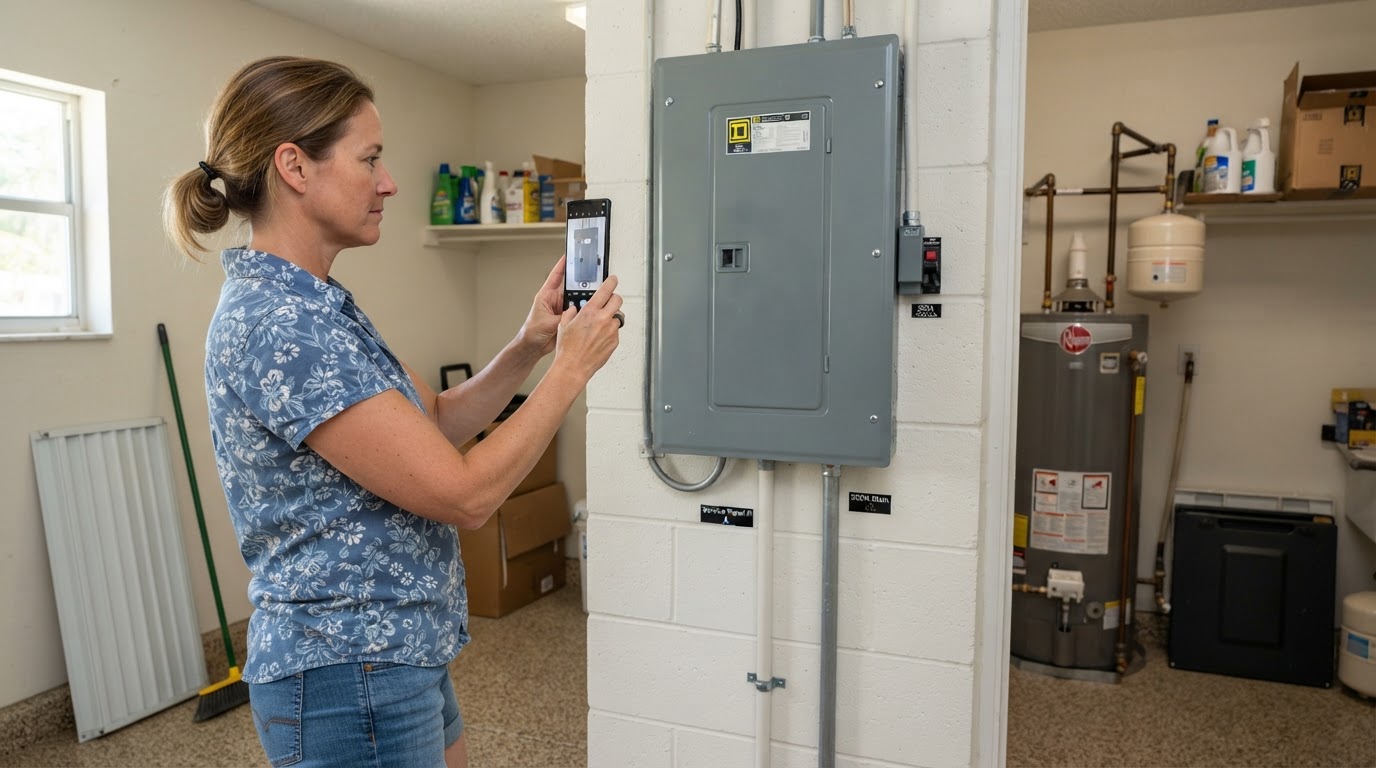
If you need a remote consultation for your electrical panel, photos are essential. Here is how to take them safely.
Photos to Take
- Closed panel door: Show the full front of the panel with the door closed.
- Manufacturer label: Photograph the brand name and model number visible on the door or inside without removing the cover.
- Wide view: Step back and photograph the panel and surrounding wall area.
- Meter: If accessible, photograph the electric meter outside.
- Inspection report: Include your four-point report or insurance letter if you have one.
What Never to Do
Never remove the panel cover or dead front. Do not touch breakers, wiring, or internal components. Do not stand in water while photographing. If you smell burning or see smoke, leave the area and call emergency services.
What Happens Next
Send your photos through our intake form. Daniel reviews them and determines whether a remote estimate is possible or an on-site diagnostic is recommended.
Ready to Send Your Photos?
Upload your panel photos and documentation for a free remote consultation.
Get Insurance & Four-Point Help →